LoopVisit – Configure tenants
Here you will find information on how to configure LoopVisit tenant settings
Back
There must be at least one Tenant registered in the configuration portal.
A Tenant is typically a company or entity with registered employees.
To add a Tenant simply just click the blue “Add Tenant” button and give it a name.
For each tenant you can under the “Action” button” configure:
- Integration with 3’rd party employee database (MS365, Google, LoopBooking)
- Manually add employees
- Edit/delete manually added employees
- Import employees from CSV
- Set/Change company logo
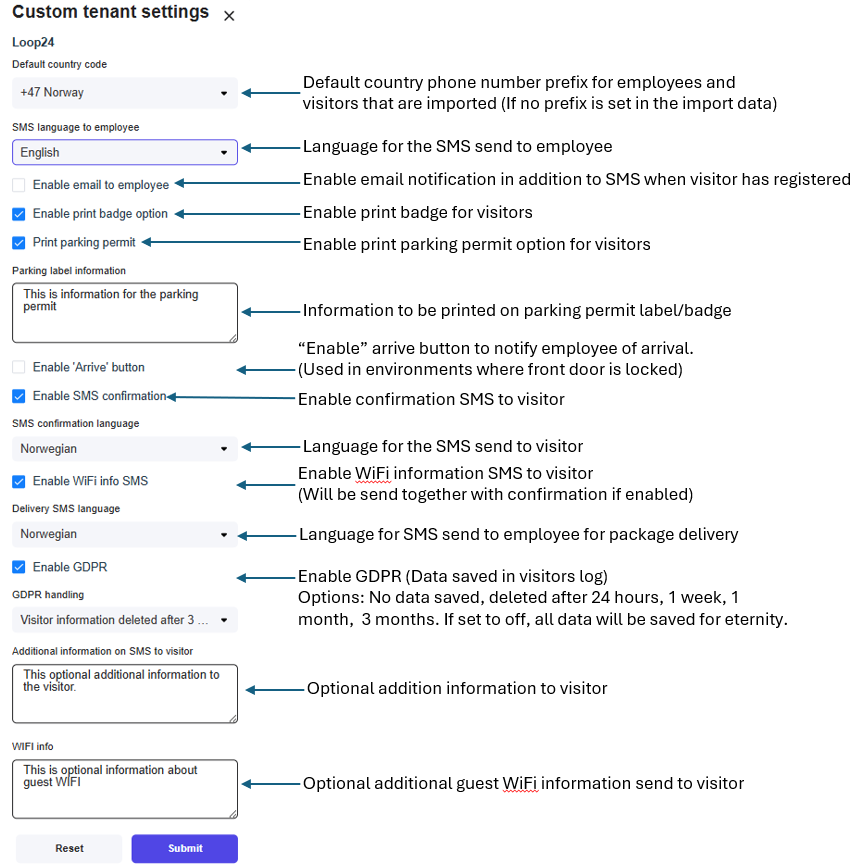
- Edit settings (If Custom settings is enabled)
- Set Delivery phones
If Delivery button is enabled, this is the phone numbers that will get notification if you get a package delivery. - Delete the Tenant
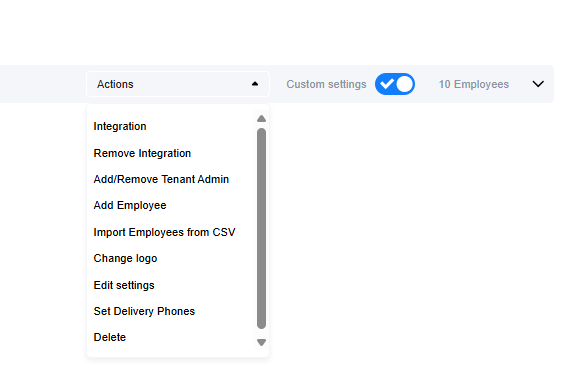
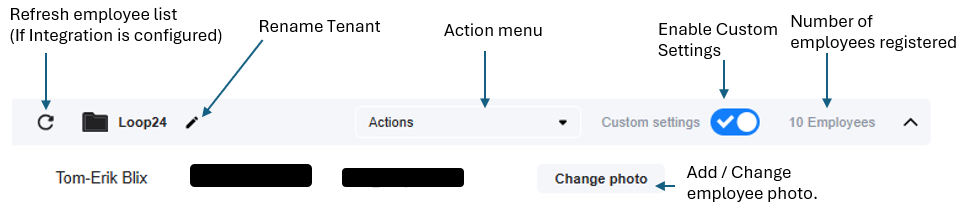
- Enable custom settings
- Manually add/change employee photo.
- Manually refresh employee list
- Change Tenant name
Custom Settings
Tenants can customize settings for visitors registering for visits.
Here’s an overview of the different settings.